Reviewed · REYKJAVIK
Rent Unlimited High Speed pocket Wifi in Iceland
Your Iceland trip starts online. A pocket WiFi hotspot with unlimited 4G means you can stay connected across the country and keep planning without swapping SIM cards. I also like the flexibility to run up to 10 devices from one unit, which makes this a smart choice for groups.
The main thing to watch is pickup and setup. A couple of people had friction when airport desk staff did not immediately recognize certain proof formats, and the device registration can involve a 10-digit code, not a shorter one.
In This Review
- Quick Highlights You’ll Feel on Day One
- Pocket WiFi in Iceland: What This Really Means for Your Days
- Unlimited 4G and Up to 10 Devices: The Connection Setup Advantage
- Price and Value: How $67 per Group Can Add Up
- Keflavík Pickup and Return: The Orange Box and Pre-Stamped Mailboxes
- A Real-World Pickup Caution
- The Hotspot Experience While You’re Moving Around Iceland
- “It Worked Everywhere” vs. Expectation Management
- How Long Can You Rent It? 4 to 100 Days
- Local Support: What You Gain Beyond Just Internet
- Who This WiFi Rental Fits Best (And Who Should Rethink It)
- Should You Book This Pocket WiFi in Iceland?
- FAQ
- How many devices can I connect?
- Do I need to change my SIM card?
- Where do I pick up and return the pocket WiFi?
- How do I return the device at the airport?
- How long can I rent it for?
- Do I get a confirmation at booking?
- What if I need to cancel?
Quick Highlights You’ll Feel on Day One
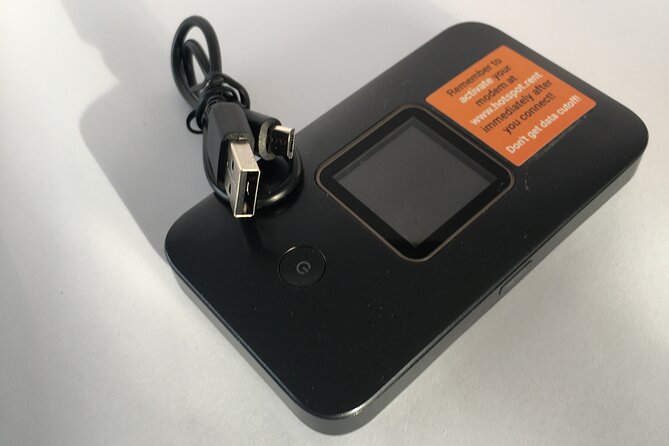
- Unlimited 4G internet in a rental hotspot you can carry anywhere in Iceland
- Up to 10 devices connected at once, without changing your phone’s SIM
- Central Keflavík Airport pickup and return, using pre-stamped mailboxes
- Local support nearby when you need help
- Choose your rental length (4 to 100 days) for short trips or long stays
Weighing this one up? Here are a few Reykjavik favourites to set it against.
- Reykjavik: Golden Circle Full-Day Tour with Kerid Crater★ 4.8 · 24,485 reviews
- Reykjavik Food Walk – Local Foodie Adventure in Iceland★ 5.0 · 18,952 reviews
- From Reykjavik: Northern Lights Bus Tour with Hot Cocoa★ 4.3 · 13,947 reviews
Pocket WiFi in Iceland: What This Really Means for Your Days
This isn’t just a gadget rental. It’s how you keep your trip running smoothly when your phone becomes your GPS, your translator, and your way of checking schedules and finding the next stop. With this setup, you don’t have to interrupt your current phone plan to get data working in Iceland.
The hotspot format is also practical for Iceland travel patterns. You’re likely moving between Reykjavík, day trips, viewpoints, and changing plans based on weather and timing. Having a dedicated device you can pass between partners or use across multiple screens cuts down on that constant SIM-swap hassle.
Where it shines most is group travel. When one person controls the connection, everyone else can still use maps, messaging, and web searches at the same time. That matters in a place where you may want to confirm directions, parking, or meeting points without burning time or money.
Unlimited 4G and Up to 10 Devices: The Connection Setup Advantage
The core promise is simple: unlimited 4G data through a portable WiFi hotspot. You can connect up to 10 laptops or mobile devices, and you can do it without changing the SIM card in your current mobile device.
For you, this usually translates into less friction. Instead of one phone being online and the rest waiting their turn, you can keep multiple devices active. That’s useful if you have a mix of phones and tablets, or if you’re splitting tasks like navigation and booking confirmations.
One more detail that’s easy to overlook: this is a rental hotspot model. That means you’ll rely on the device battery and keep it charged. If your day runs long, pack a charging cable and plan for top-ups like you would with any phone you actively use.
Price and Value: How $67 per Group Can Add Up
The price is $67.00 per group, up to 10 people/devices. That pricing structure can be surprisingly good value if you’re traveling as a small team rather than as a solo rider.
Here’s a quick way to think about it:
- If you split across 10 people, it’s roughly $6.70 each.
- If you split across 5 people, it’s roughly $13.40 each.
Even if you’re not traveling with 10 people, the group model still tends to beat buying individual data plans for multiple devices—especially when you want everyone connected at once.
The other value angle is time saved. When you’re online quickly, you lose less time hunting for signal solutions, juggling SIM purchases, or trying to fix data issues mid-trip. For many Iceland itineraries, that time cost is bigger than it seems at booking.
Keflavík Pickup and Return: The Orange Box and Pre-Stamped Mailboxes
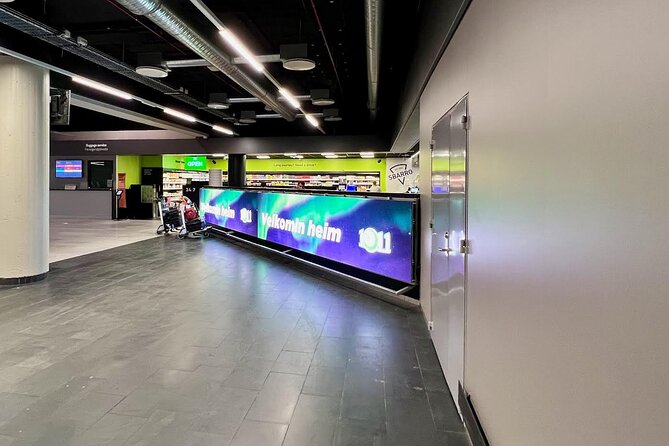
This is the part that can make or break your first hour in Iceland. Everything centers on Keflavík International Airport.
Pickup location: Keflavík International Airport, address listed as 235 Keflavík, Iceland.
Return location: also at Keflavík International Airport, using the same process.
Here’s the return routine you should plan for:
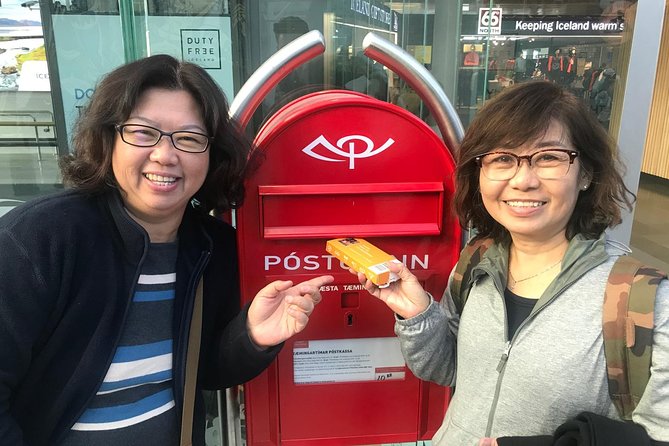
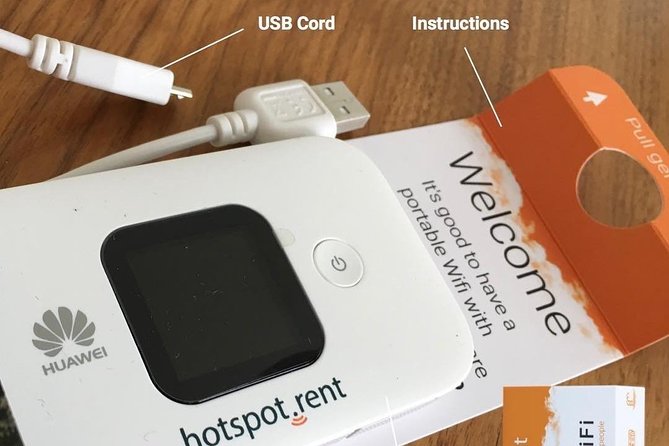
- Pack the modem and the USB cord using the same orange box the modem came in.
- Deliver it to one of two pre-stamped mailboxes at the airport.
- One mailbox is in the Departure Hall, and the other is in the main food hall after security.
That orange-box detail matters. It’s your quickest way to make sure you have the right items in the right packaging for the mailbox drop. If you arrive at the airport and you’re scrambling for cords or the box, you’ll waste the kind of time nobody wants to lose on travel day.
Also note that your ticket is mobile, and confirmation is received at booking. Still, it’s smart to have your details accessible offline as well, just in case your internet plan isn’t active yet.



A Real-World Pickup Caution
A few people ran into confusion at the airport counter. In particular, staff may not immediately recognize certain proof formats, and the device registration step may use a longer order code than people expect.
My practical advice: bring the voucher/confirmation details you received at booking and be ready for the possibility that you’ll need the exact order code shown in that confirmation. One thing that helped in at least one case was getting the correct paperwork from a nearby shop rather than staying stuck at a desk that didn’t seem equipped for that specific proof.
If you want to minimize stress, keep everything in one place: phone + email confirmation + any voucher/ID details. Then ask the counter staff directly for the exact device/pickup flow for your reservation.
The Hotspot Experience While You’re Moving Around Iceland
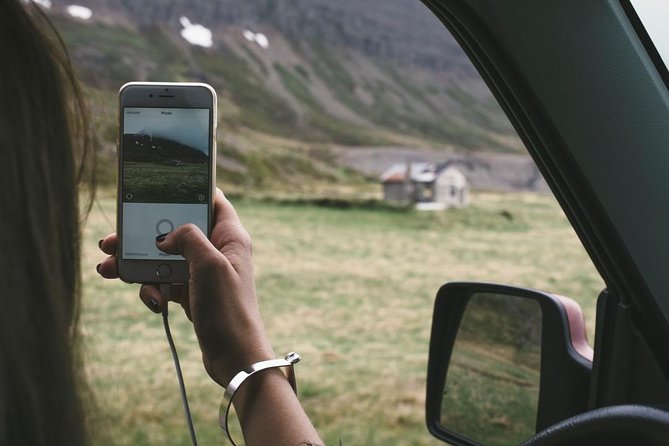
Once you’re set up, this is meant to be take-it-anywhere convenience. You can connect up to 10 devices and keep going without changing your SIM cards. That’s ideal for mixed groups where not everyone has the same phone type or data needs.
In practical terms, you’re also building a reliable baseline. Iceland weather can change fast, and plans can shift. With a portable hotspot, it’s easier to re-check routes and timing than it is if you’re waiting on intermittent coverage.
Just remember: this is unlimited data, but you still have to handle the basics of any hotspot. Battery life and physical handling matter. Treat it like a small tech device, not like a phone you can leave dead on the table.
“It Worked Everywhere” vs. Expectation Management
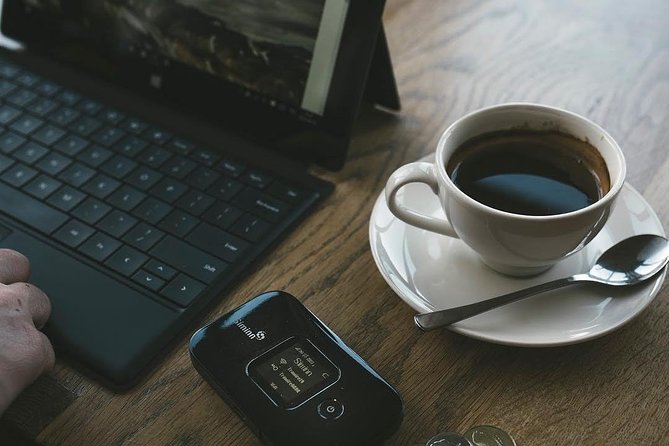
A common theme in satisfaction is speed and convenience. People liked that they got signal broadly and that the device was straightforward once it was in hand. Local support also gets credit, with the assurance that someone is nearby to help.
Still, there’s one reasonable expectation to set: you’re relying on cellular connectivity, so performance can vary by area and time. The rental promises fast speeds and solid coverage, but it’s smart to keep a tiny bit of flexibility in your day planning.
If you’re the kind of person who needs navigation and messaging continuously, it’s worth charging the hotspot in the evening and planning a quick top-up during longer drives.
How Long Can You Rent It? 4 to 100 Days
This rental comes in a wide duration range, from 4 days up to 100 days. That’s a big deal if you’re doing:
- a short Reykjavík-focused trip,
- a road trip loop,
- or a longer stay where you’d otherwise juggle multiple data solutions.
For you, the long window is about consistency. You don’t have to re-think the plan halfway through. For families and group travel, it also keeps the connection rules stable across the entire trip.
And because the model supports up to 10 devices, it’s easier to keep one hotspot plan even if your group composition changes during the trip.
Local Support: What You Gain Beyond Just Internet

One line matters here: there’s local support nearby for help. If you’ve ever faced a device that won’t register or a connection that won’t start, you know that a real person nearby can save hours of guesswork.
I’d use this mindset:
- If your hotspot is working, great—your job is just to keep it charged.
- If it’s not, you want quick human help so your vacation doesn’t become troubleshooting.
Keep your booking info ready. Support tends to be faster when your order details are on hand, not buried in screenshots you have to search for.
Who This WiFi Rental Fits Best (And Who Should Rethink It)
This pocket WiFi rental is a strong fit if:
- you’re traveling in a group (especially if you want multiple devices online),
- you don’t want to change SIM cards,
- you want an easy airport-centered pickup and return,
- you care about reliable internet for day-to-day logistics.
It may be less ideal if:
- you’re a solo traveler who doesn’t need multiple devices online at once,
- you strongly dislike airport pickup procedures and prefer in-city setup,
- you tend to arrive with limited access to your booking details and don’t want any chance of confusion.
Should You Book This Pocket WiFi in Iceland?
Yes, if you’re traveling with others and you want the simplest path to staying connected with minimal hassle. The big wins—unlimited 4G, up to 10 devices, and airport drop convenience—are exactly what you want when your phone is your planning tool.
If you’re booking and you want a smoother start, do two things: keep your voucher/confirmation details accessible, and double-check the registration info on the rental so you’re not surprised by the order-code format. Handle that once at the airport, and you’re set up to focus on Iceland instead of your data plan.
FAQ
How many devices can I connect?
You can connect up to 10 laptops or mobile devices to the hotspot.
Do I need to change my SIM card?
No. The hotspot works without changing the SIM card in your current mobile device.
Where do I pick up and return the pocket WiFi?
Both pickup and return happen at Keflavík International Airport at the address listed as 235 Keflavík, Iceland.
How do I return the device at the airport?
Pack the modem and USB cord in the same orange box it came in, then drop it at one of the two pre-stamped mailboxes at the airport (Departure Hall, or main food hall after security).
How long can I rent it for?
Rental duration can be selected from about 4 days up to 100 days.
Do I get a confirmation at booking?
Yes. Confirmation is received at the time of booking, and the ticket is mobile.
What if I need to cancel?
This experience is non-refundable and cannot be changed for any reason.